Image editors
Barcodes in picures
How to add a barcode into an image, a picture, photo or graphics
1
You can use the ActiveBarcode Generator to add barcodes to your image file:
Launch the ActiveBarcode Generator and create the barcode according to your needs. If you need information on how to use the ActiveBarcode Generator click here.
After creating the barcode you copy it into the Windows clipboard. To do this select Copy Bitmap or Copy Meta from the Edit menu. A description of the whole menu is located here.
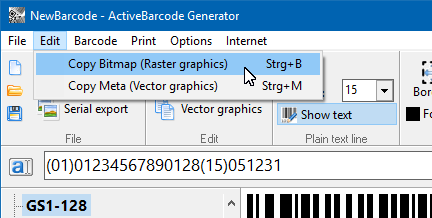
If you want to place a bitmap image to your document use the function Copy Bitmap. You do this, if you need a barcode in an exact size.
If you want to place a vector graphics to your document use the function Copy Meta. You do this, if you want to freely resize the barcode in your document.
The barcode will now be copied to the Windows clipboard and is available for nearly any application running on your system.
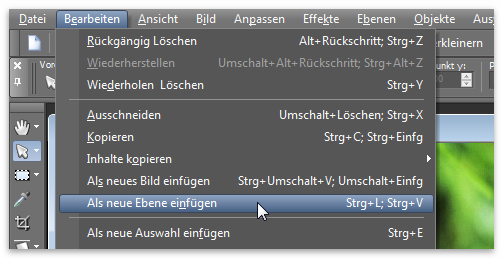
Now open your image editor software and create a new image or open an already existing image file. Go to the "Edit" menu and select "Paste" to add the barcode image from the Windows clipboard to your image:
2
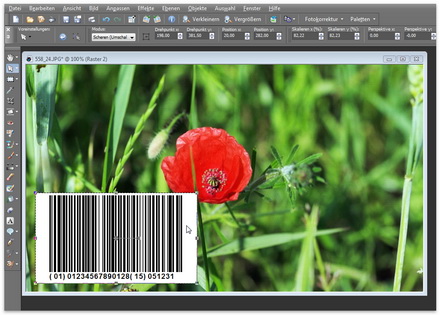
The barcode will be copied into your image:
3
The barcode is now placed to into image.
How to place a barcode transparent above an image
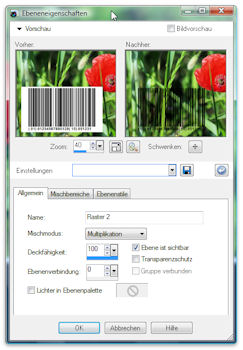
First add the barcode to your image. Then set the fill method of the layer to "Multiplicate":