Product info

ActiveBarcode

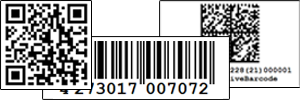
ActiveBarcode ActiveBarcode is a powerful software packages for creating barcodes. It runs under Windows 7, Vista, XP, Server 2008, Server 2003, 2000, NT, ME, 98, 95.

You always have the right software to create your desired barcode:
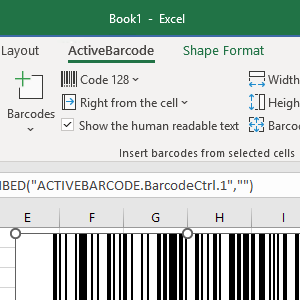
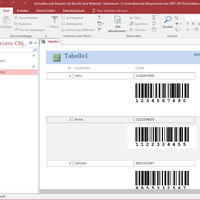
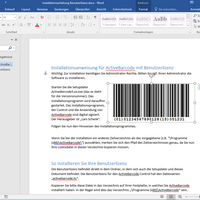
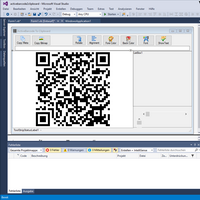
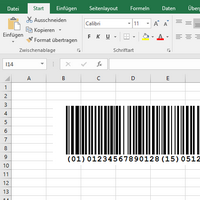
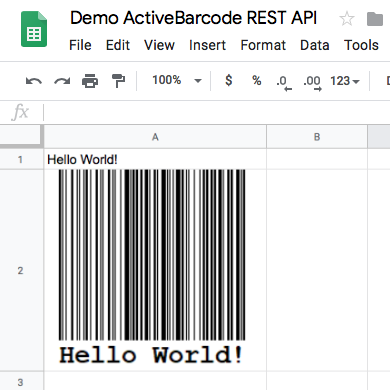
  • ActiveBarcode Control (ActiveX, OCX): The powerful and flexible barcode control for your own applications and documents. Use the control for example with C++, VisualBasic, Delphi, Access, Excel, Word etc.
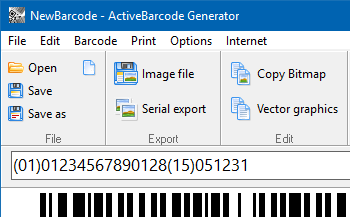
  • ActiveBarcode Application: The stand alone application to create bitmaps (BMP, JPEG, PNG, TIF, TGA, GIF, PBM, PGM, PPM, XMP, WBMP) and meta graphics of barcodes. Store this images to files or transfer them into your documents using the Windows clipboard.
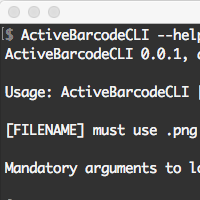
  • ActiveBarcode Command Line: Create barcode image files from the command line, inside batch programs or within scripts. Use parameters to set the barcode type, content, size and more. The barcode will be saved in the desired image format (BMP, JPEG, PNG, TIF, TGA, GIF, PBM, PGM, PPM, XMP, WBMP).


Features:

Barcodes


Info Free updates within the main version number:
Small updates and upgrades within a main version number (e.g. 5.x) are free for users of the full version. You can download your updates from our customers download area.


Image file types

ActiveBarcode supports many different image file formats:

Image format Extension Format 1-bit s/w 8-bit 16-bit 24-bit 32-bit
Windows Bitmap BMP 0 yes yes yes yes default
JPEG JPG, JPEG 2 - gray - default -
Portable Network Graphic PNG 13 yes yes - default yes
TIFF TIF 18 yes yes - default yes
Targa TGA 17 - yes yes default yes
GIF GIF 25 yes default - - -
Windows Metafile Format WMF 101 - - - default -
Enhanced Metafile Format EMF 100 - - - default -
Wireless Bitmap WBM, WBMP 19 default - - - -
Portable Bit Map PBM 7 default - - - -
Portable Gray Map PGM 11 - gray/default - - -
Portable Pixel Map PPM 14 - - - default -
X Pix Map XPM 23 - - - default -

Color depths marked as default are used in the ActiveBarcode Application or if you use the SaveAs, SaveAsBySize function or if you pass 0 to the function SaveAsBySizeExtended as color depth.

Licence Editions

Different licence editions are available:

Standard Edition Enterprise Edition Enterprise Gold Edition

System requirements

To run ActiveBarcode on your system you require:
  • A computer with installed Windows OS (e.g. Windows 7, Vista, XP, Server 2008, Server 2003, 2000, NT, ME, 98, 95)
  • To use the ActiveBarcode Control you require a software that can handle ActiveX technology (e.g. Word, Excel, Access, VisualBasic, Delphi, C++, ... )
  • To use the barcode created with the ActiveBarcode Application you need a software that can handle image files like JPG, PNG and BMP. (e.g. Word, WordPad, any image editor and many many more).


Awards

ActiveBarcode got a 4 stars rating by Ziff Davis! Award Award
Award Award Award Award
Award Award Award


Show all awards


Comments from users of ActiveBarcode:
"I jumped on the Internet, typed barcode and downloaded your OCX. What a fantastic tool. I cannot believe that Microsoft does not include this as a standard tool. Congratulations for coming up with such a useful item" (J. Fallon)

"I have downloaded your Barcode ActiveX control. It seems be the best one I found on the whole Internet" (R.Schlesinger)


rss twitter Bookmark and Share
| Home | Shop | Email | Datenschutz | Sitemap | Print preview | Version 5.57 | © Lars Schenk & Frank Horn

All trademarks and product names mentioned are the property of their respective owners.